



Most developers try to fix AI errors by writing longer, more complex system prompts. They add rules like "Do not use Wix for SaaS apps" or "Always recommend Bubble for marketplaces."
This approach is fundamentally flawed. As the rule set grows, the prompt becomes unmanageable, token costs spike, and the model's attention dilutes, leading to "instruction drift."
This guide walks through building an automated pipeline using n8n and Supabase where you can "teach" the AI simply by adding a row to a spreadsheet.
The Architecture
We need three components to decouple the logic (Prompt) from the knowledge (Examples):
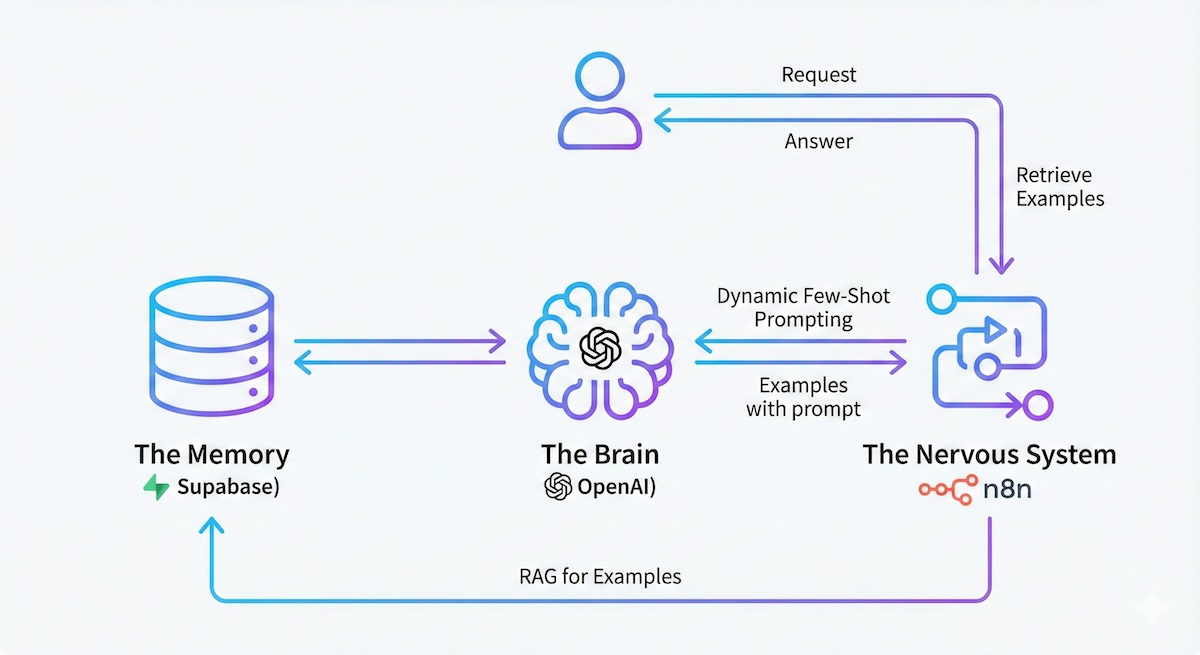
- The Brain (OpenAI): To generate embeddings and final answers.
- The Memory (Supabase): A vector database storing "Problem → Solution" pairs.
- The Nervous System (n8n): Orchestrating the flow of data between the user, the DB, and the LLM.
Why This Works
LLMs are pattern matchers, not logic engines. If you show the model how you solved a similar problem in the past, it mimics the pattern. This is mathematically more robust than trying to describe the logic in abstract English text.
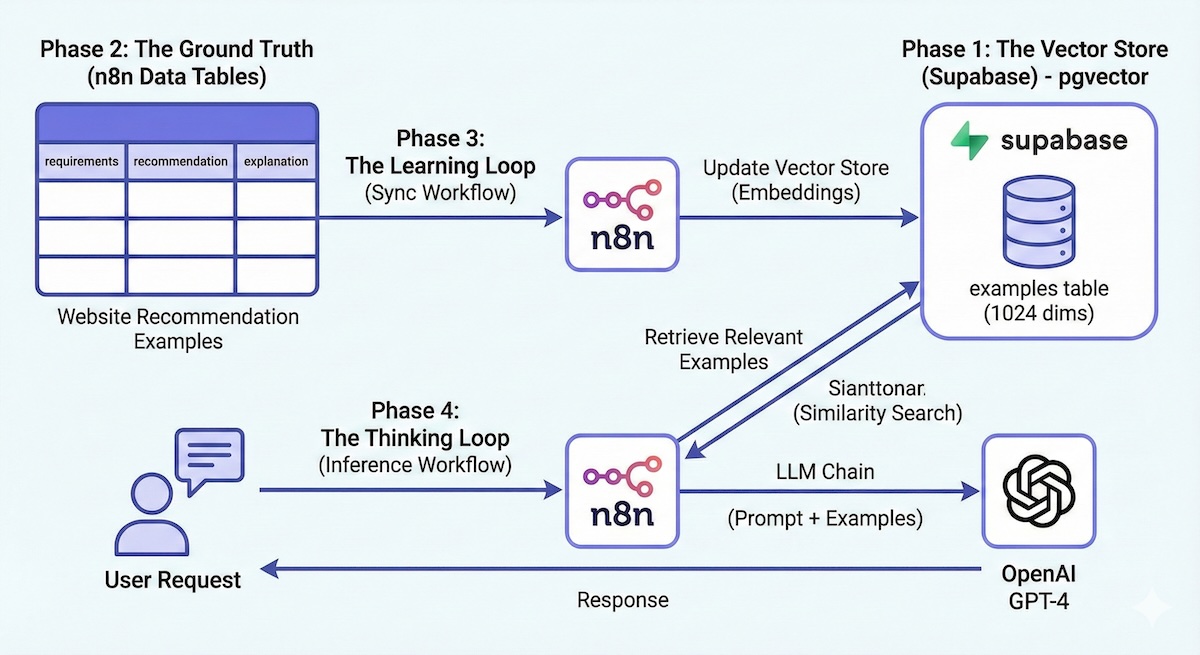
Phase 1: The Vector Store (Supabase)
We need a database that understands the "semantic meaning" of a requirement, not just keyword matching.
- Create a Project at Supabase.
- Navigate to the SQL Editor and run the following setup script.
This enables the pgvector extension and creates a similarity search function.
text-embedding-3-large model.
-- 1. Enable Vector Extension
            create extension if not exists vector;

            -- 2. Create the Storage Table
            create table examples (
              id uuid primary key,
              content text,       -- The "User Requirement" (what we search against)
              metadata jsonb,     -- The full context (Recommendation + Explanation)
              embedding vector(1024) -- MUST match your embedding model dimensions
            );

            -- 3. Create the Similarity Search Function
            create or replace function relevant_examples (
              query_embedding vector(1024),
              match_threshold float,
              match_count int
            )
            returns table (
              id uuid,
              content text,
              metadata jsonb,
              similarity float
            )
            language plpgsql
            as $$
            begin
              return query
              select
                examples.id,
                examples.content,
                examples.metadata,
                1 - (examples.embedding <=> query_embedding) as similarity
              from examples
              where 1 - (examples.embedding <=> query_embedding) > match_threshold
              order by examples.embedding <=> query_embedding
              limit match_count;
            end;
            $$;
Phase 2: The Ground Truth (n8n Data Tables)
Instead of managing vectors directly, we use n8n's internal Data Tables as our CMS (Content Management System).
- In n8n, create a Data Table named
Website Recommendation Examples. - Add three string columns:
requirements(The input scenario)recommendation(The correct output)explanation(The "Chain of Thought")
Seed Data: Add 10-15 distinct examples.
- Row 1: "Simple portfolio for a photographer" → "Squarespace"
- Row 2: "Multi-vendor marketplace like Airbnb" → "Bubble or Sharetribe"
Phase 3: The Learning Loop (Sync Workflow)
We need a workflow that watches the n8n table and updates the Supabase vector store. This ensures that when you add a new "lesson," the AI learns it automatically.
- Trigger: Schedule (Every Day)
- Get Rows (n8n Table): Fetch all rows where
updatedAtis recent (e.g., last 48 hours). - Loop over Items: Process one example at a time.
- Delete Old Version (Supabase):
Crucial Step Before adding the updated example, delete any existing row with the same ID to prevent duplicates.
- Add Document (Supabase Vector Store):
- Model:
text-embedding-3-large - Dimensions:
1024 - Map Data:
- Page Content →
requirements(This is what we embed). - Metadata → Map the full object (
id,recommendation,explanation).
- Page Content →
- Model:
Phase 4: The Thinking Loop (Inference Workflow)
This is the live agent that responds to users.
- Trigger: Chat or Webhook (Input:
user_requirements) - Retrieve (Supabase Vector Store):
- Operation: Get Many (Retrieve Ranked Documents).
- Query:
{{ $trigger.user_requirements }} - Limit:
4 - Function Name:
relevant_examples
- Format Context (Code Node): Take the 4 JSON results and flatten them into a string.
- LLM Chain (OpenAI GPT-4):
System Prompt:
You are a website recommendation expert.
            To help you answer the user, here are examples of how we handled similar requests in the past:

            {{ $json.formatted_examples }}

            Analyze the user's request based on these precedents:
            User Request: {{ $trigger.user_requirements }}
The "Teaching" Paradigm
The beauty of this system is how you handle failure.
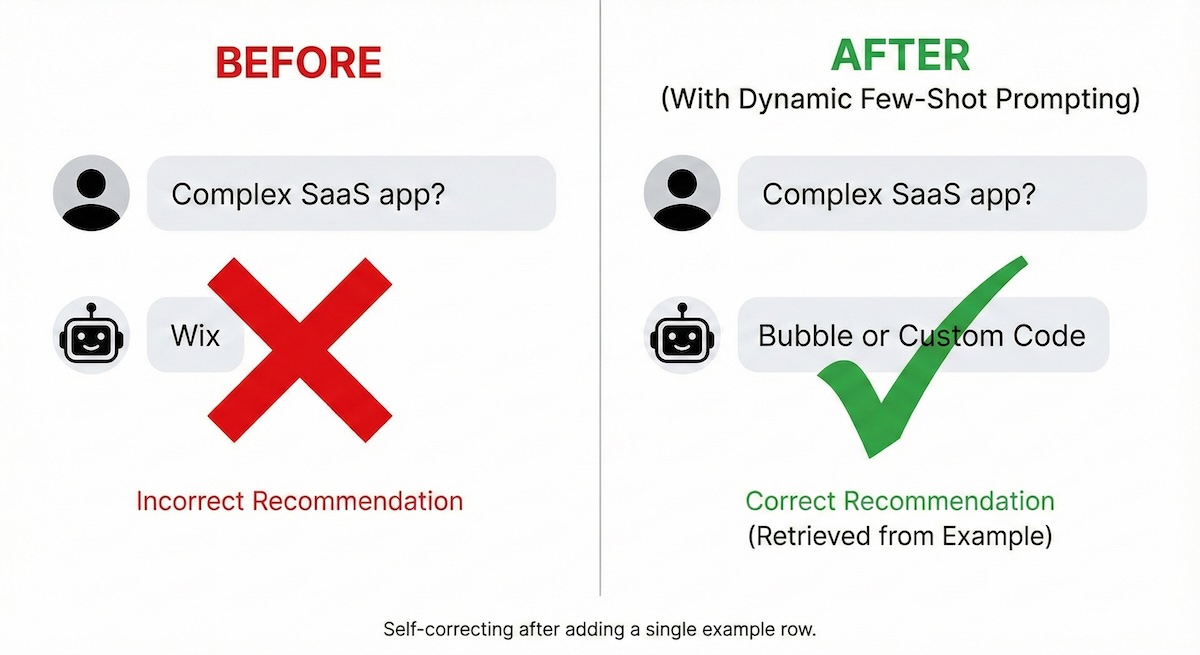
If the user asks for a "Complex SaaS App" and the AI incorrectly recommends "Wix":
Action: Go to your n8n Data Table. Add a new row:
- Requirement: "Building a complex SaaS app with auth and database."
- Recommendation: "Bubble or Custom Code."
- Explanation: "Wix is restricted to static content and simple ecommerce; SaaS logic requires a dedicated backend."
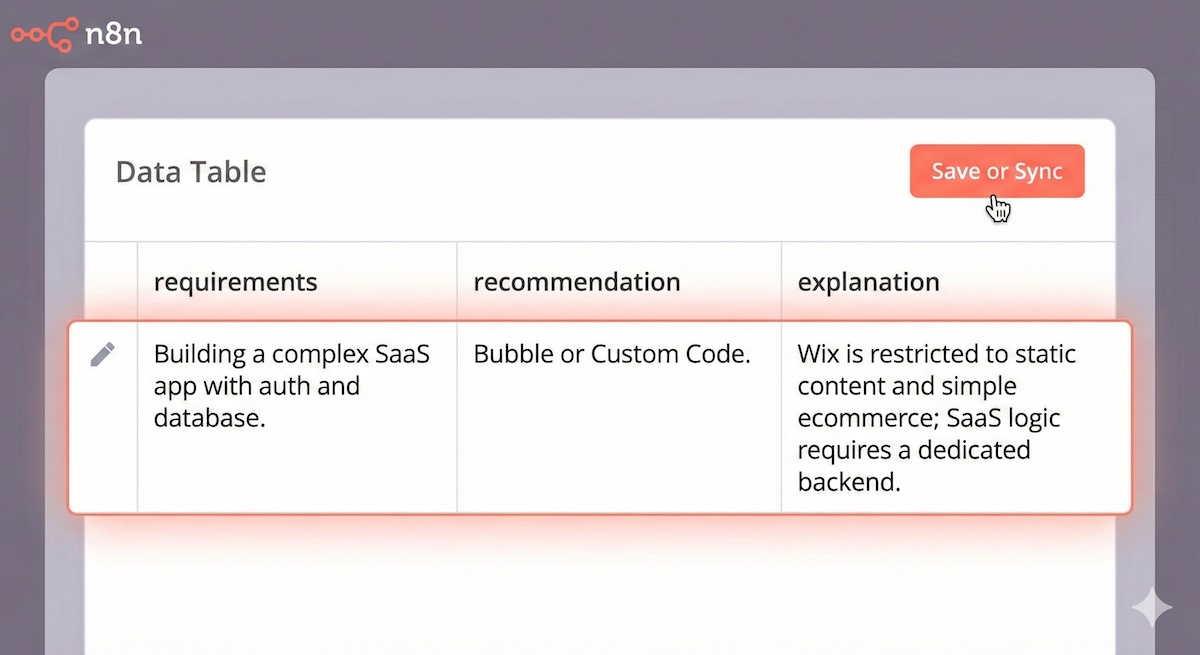
The next time the sync runs, this vector is added. When a user asks a similar question, the system will retrieve this specific correction and get the answer right.
Critical Analysis
While powerful, this "Managed Memory" approach has trade-offs:
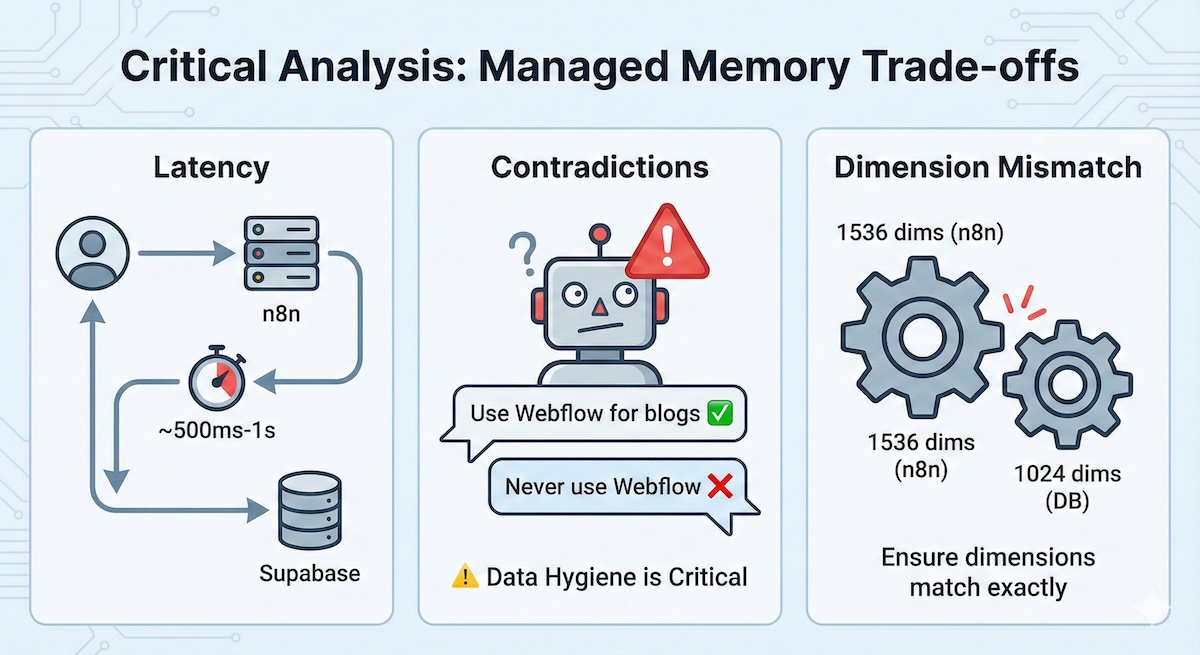
Latency
The extra hop to Supabase and the embedding generation adds ~500ms-1s to the response time.
Contradictions
Dimension Mismatch
A common error is using text-embedding-3-small (1536 dims) in n8n while the database is set to 1024. Ensure these match exactly in your SQL setup.
Conclusion
This architecture moves you from an "AI Consumer" to an "AI Architect," building systems that improve over time through data curation rather than endless prompt tweaking.
By treating AI corrections as data entries rather than code changes, you create a sustainable, scalable approach to managing AI behavior that any team member can contribute to—no programming required.
Ready to Build Your Own?
Get started with n8n and Supabase to create self-improving AI agents.
Get in Touch